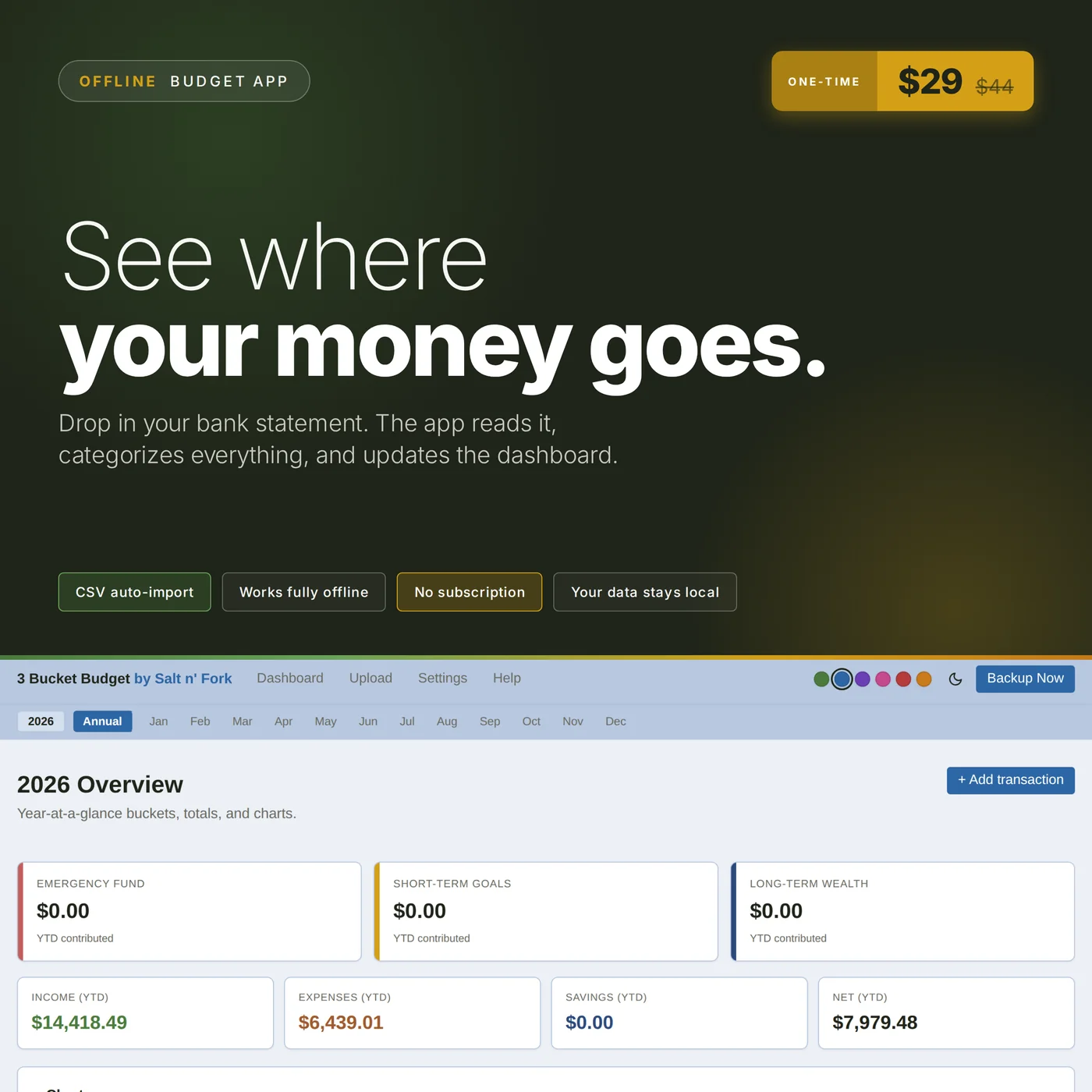
Drop in your bank's CSV or PDF statement. The app reads it, categorizes every transaction, and the dashboard updates. Runs entirely in your browser. Your data never leaves your machine. No subscription, no cloud, no account.
Instant download · HTML web app · No subscription · Works offline
The 5-minute walkthrough
See exactly what the app does before you buy.
A privacy-first budget tracker that runs entirely in your browser. This is software, not a spreadsheet template. You buy it once, you own it, and your data never leaves your machine.
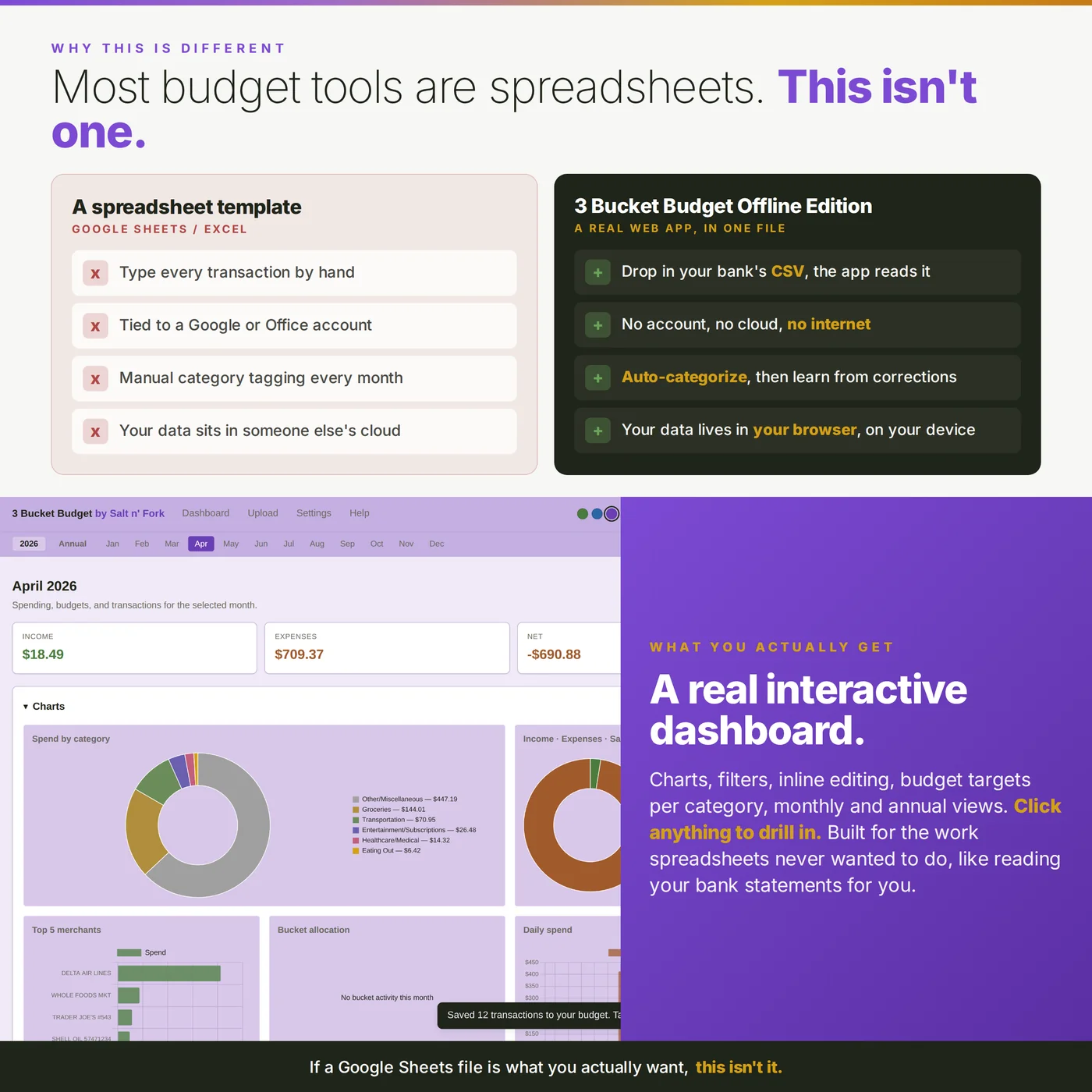
Why this, not a spreadsheet
Most budget templates are Google Sheets or Excel files. You type in every transaction by hand, every week, forever. This is different.
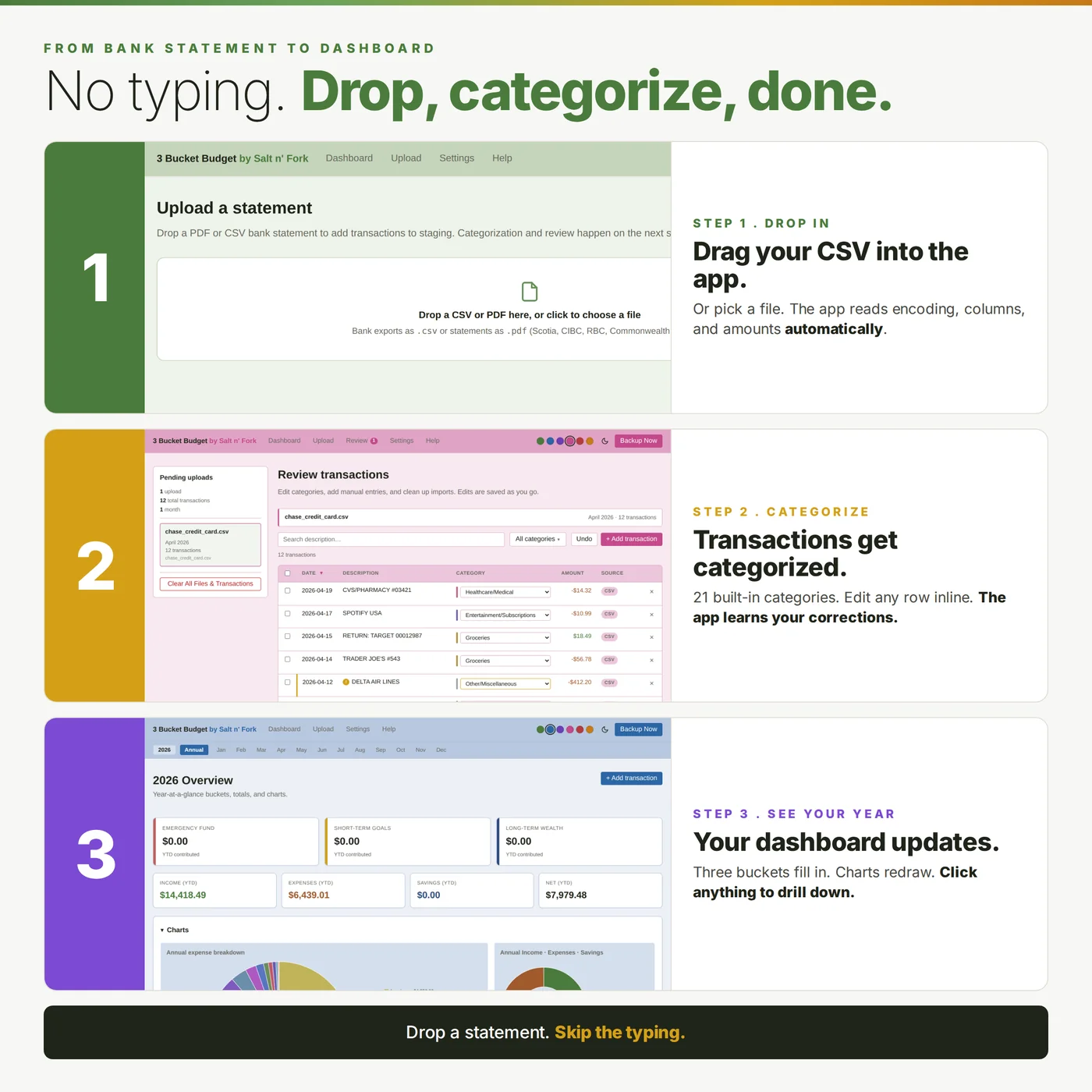
Drop in your bank's CSV or PDF statement. The app reads it, categorizes the transactions, and the dashboard updates. No typing.
Correct a category once, the app learns. Next month's import categorizes the same merchant automatically.
No Google account, no cloud, no internet. The file lives on your device. Your data does too.
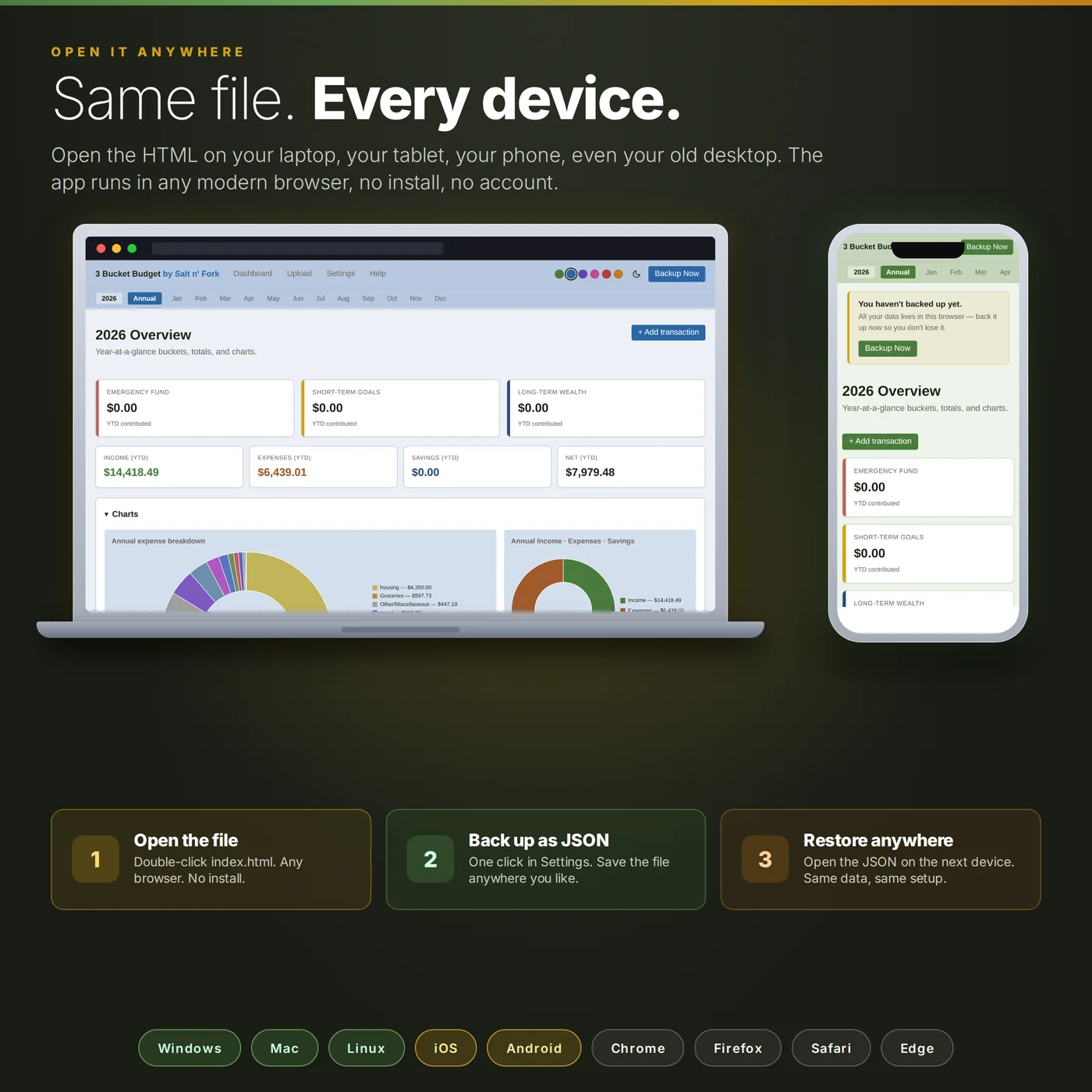
One file, one purchase. Open it on your laptop, your phone, your tablet, your old PC in the garage. Same file, same data after a JSON backup-restore between devices.
Drop in a statement, the app reads it
The CSV importer auto-detects encoding, delimiter, column layout, and amount conventions. It works with virtually any bank that exports CSV statements: Chase, Capital One, Wells Fargo, Bank of America, Amex, Discover, RBC Canada, TD, Barclays UK, and many more.
PDF imports use bank-specific parsers for Caribbean banks (Scotiabank, CIBC FirstCaribbean, RBC, Commonwealth, Fidelity), plus a generic PDF parser for any other bank. PDF results vary by statement layout. CSV is the cleanest path if your bank offers both.
Same file, every device
Open it on your laptop today, your phone on the bus tomorrow, and your old desktop in the office next week. The JSON backup and restore feature in Settings is the bridge between devices. Move your data between machines, browsers, or devices in one file. Backups include custom categories, subgroups, and all three learned tables. Restore is non-destructive: it merges instead of overwriting.
Three buckets. Twenty-one categories. Customize anything.
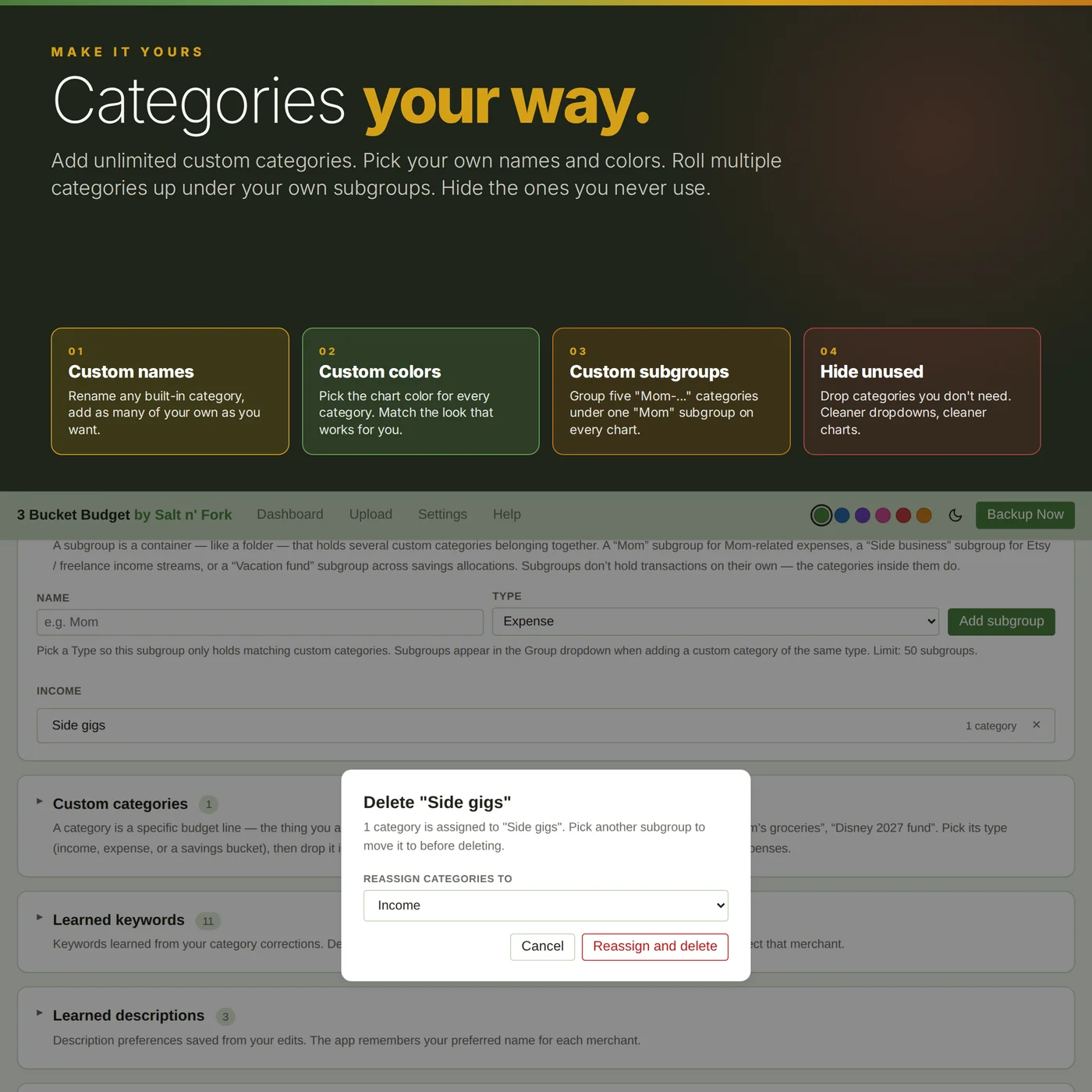
The 21 built-in categories are grouped under three buckets: Emergency Fund, Short-Term Goals, and Long-Term Wealth. Add unlimited custom categories with your own names and colors. Group multiple custom expense categories under your own user-defined subgroups (for example, five "Mom-..." categories rolling up under a single "Mom" subgroup on every chart).
The app learns three ways from your corrections: the right category for a merchant, your preferred display name for a merchant, and your preferred label for a bank account. Next time the same source imports, your preferences carry over automatically.
Dashboards that actually show you something
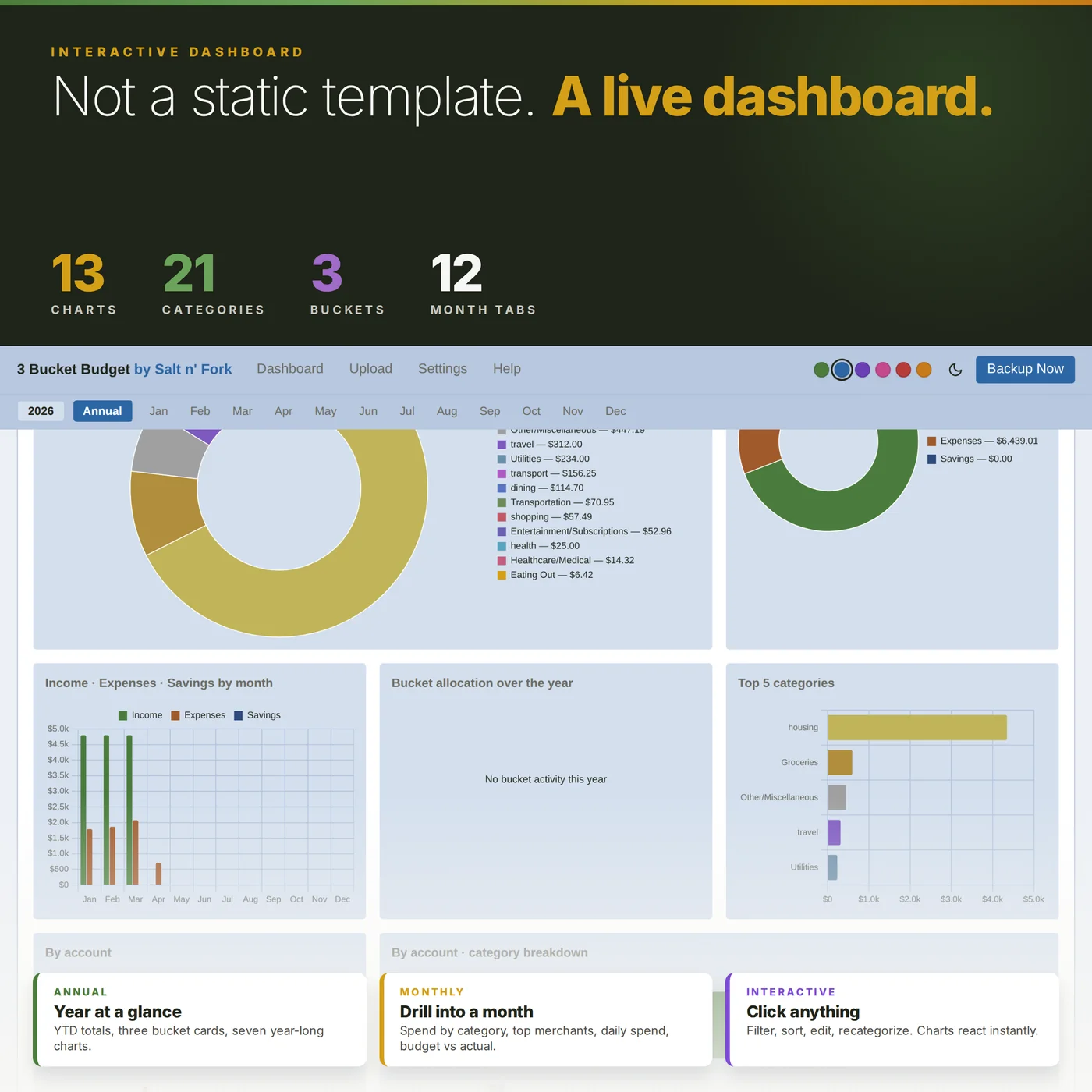
The monthly dashboard breaks down spend by category, top merchants, daily spend, income vs expenses vs net, and bucket allocation. Inline edit for category, description, amount, and account. The annual dashboard rolls everything up: year-to-date totals, three bucket cards, and seven year-long charts.
Manual transaction entry covers cash, Venmo, tips, anything the importer missed. Duplicate detection silently skips rows you already have. Export any monthly or annual view to CSV, or print to PDF straight from the app with one click.
Privacy by design, not by promise
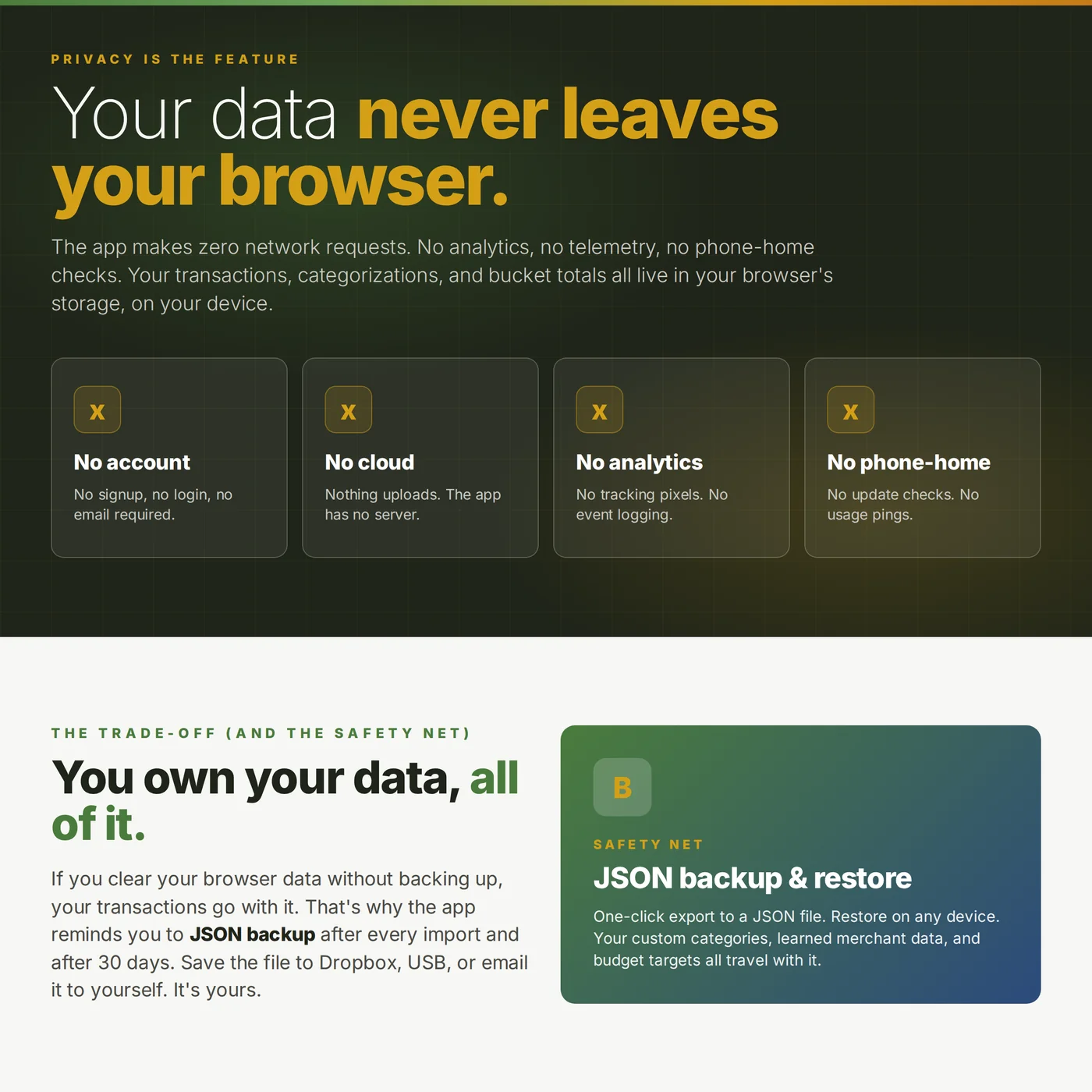
The app makes no network requests. No analytics, no telemetry, no "phone home" check-ins. Your transactions, your categorizations, your bucket totals, and everything else live in your browser's storage on your machine.
We have no copy of your data. We can't see it, recover it, or share it. The trade-off: if you clear your browser data without backing up first, your data is gone. The JSON backup is the safety net. You control where it lives (Dropbox, USB stick, email, anywhere).
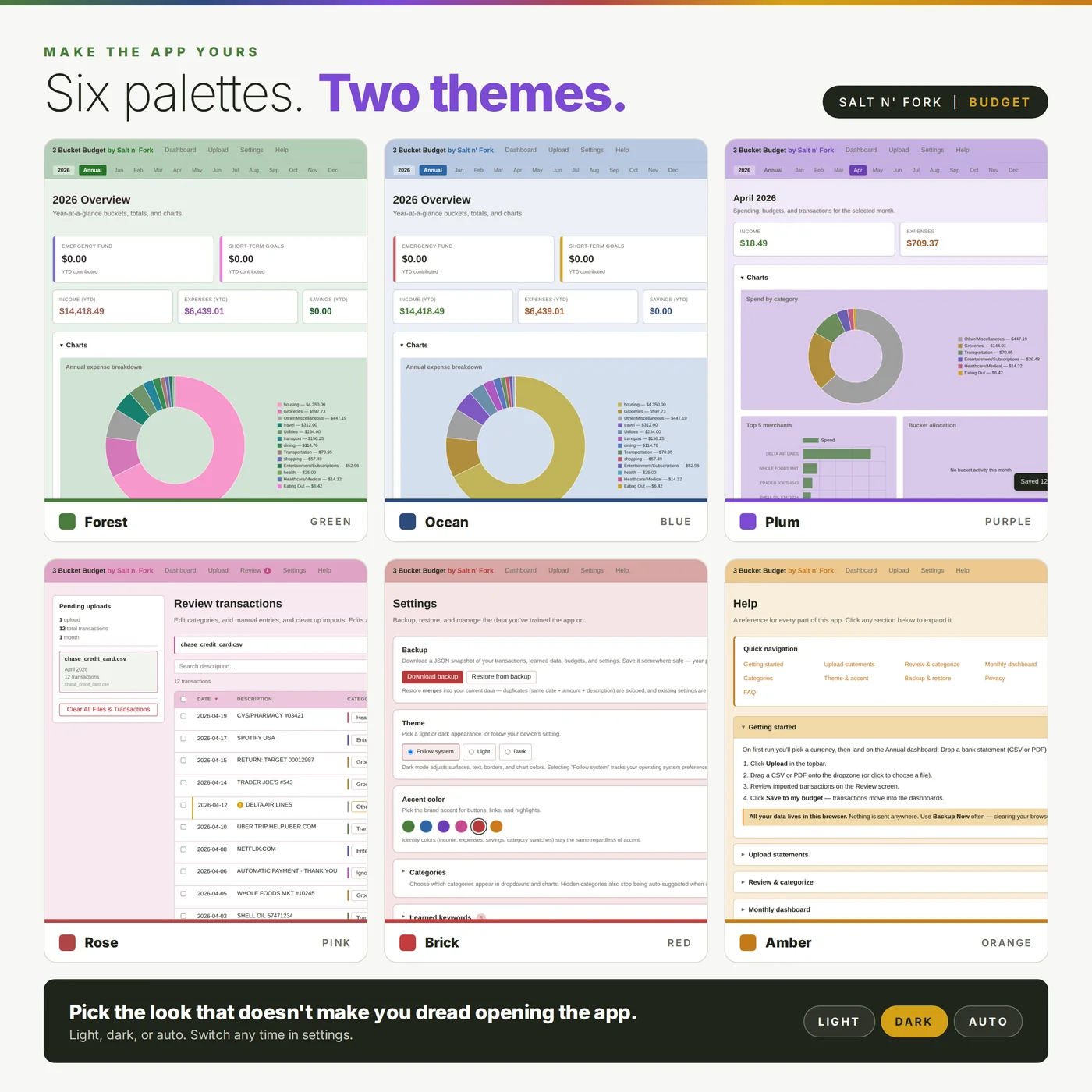
Six color palettes, light and dark
Light, dark, and auto theme. Six accent color palettes to pick from. Responsive on phones, tablets, and laptops.
What you get
Instant download, containing:
index.html: the entire app in one file. Double-click to open in any browser.
START-HERE.pdf: a printable user guide with screenshots.
thank-you.pdf: a quick orientation for your first session.
No installation, no account, no subscription, no internet required after you open it.
System requirements
Any modern browser: Chrome, Firefox, Safari, Edge, Brave, or any Chromium-based browser. Works on Windows, Mac, Linux, iOS, and Android. No installation required. Open the HTML file, you're done.
What it is not
This is not a spreadsheet template. There's no Excel or Google Sheets file in the download. This is not a SaaS subscription. You pay once and own the version you download. This does not connect to your bank. You import your own statements (every bank lets you download CSV or PDF, usually under "Statements" or "Activity" in your online banking).
A note on PDF imports
CSV is the cleanest, most reliable import path and works with virtually every bank that exports CSV (most do). PDF imports use bank-specific parsers for Caribbean banks plus a generic fallback for others, which means PDF results vary by your bank's statement layout. If your bank gives you both CSV and PDF, use CSV.
How is this different from the live web version?
The live web version at budget.saltnfork.com uses the same methodology (the 3-bucket system) with a different storage model. It syncs through Google Sheets if you want cloud access on multiple devices. This Offline Edition keeps everything on your device, with no Google account or cloud needed. Buy whichever fits how you want to handle your data.
Support and license
Questions, bug reports, or anything that's not working as expected: use the contact form and we'll work with you to fix the issue. Single-buyer license, for personal use on your own devices. Not for resale or redistribution.
$29 once. Yours forever.
Instant download. Runs offline. No subscription, no cloud, no account.